Multi-Language Support
So far, our seals are published in English only. The SigiDoc Feind Collection is available in three languages: English, German, and Greek. Let's add German.
Multi-language support involves three layers: source content, XSLT UI labels, and the website shell. See Multi-Language Architecture for the full picture. Here we'll work through each layer hands-on.
Step 1: German Seal Pages
With a static site, each language version needs its own set of HTML pages. Remember how we pruned to English because the source XML contains all languages side by side? Now we'll add a German pipeline chain alongside the English one.
We're working with: Pipeline Configuration (pipeline.xml)
Pipeline Nodes
Two kinds of changes are needed in pipeline.xml:
First, update the existing extract-epidoc-metadata node to extract both languages. Change the languages parameter from en to en de (space-separated):
<xsltTransform name="extract-epidoc-metadata">
    <sourceFiles><files>source/seals/*.xml</files></sourceFiles>
    <stylesheet><files>source/metadata-config.xsl</files></stylesheet>
    <stylesheetParams>
        <param name="languages">en de</param>
    </stylesheetParams>
</xsltTransform>
This single node now extracts metadata for both languages at once, so no separate German extraction node is needed. The framework calls your extraction templates once per language and auto-stamps xml:lang on the output. Each metadata XML file now contains fields for both languages:
<metadata>
    <documentId>Feind_Kr1</documentId>
    <sourceFile>Feind_Kr1.xml</sourceFile>
    <page>
        <title xml:lang="en">Seal of N. imperial protospatharios ...</title>
        <sortKey xml:lang="en">Feind.Kr.00001.</sortKey>
        <title xml:lang="de">Siegel des N. kaiserlicher protospatharios ...</title>
        <sortKey xml:lang="de">Feind.Kr.00001.</sortKey>
    </page>
    <entities>...</entities>
    <search>
        <title xml:lang="en">Seal of N. ...</title>
        <material xml:lang="en">Lead</material>
        <title xml:lang="de">Siegel des N. ...</title>
        <material xml:lang="de">Blei</material>
    </search>
</metadata>
Configure Oxygen XML Editor for multi-language metadata extraction
When using Oxygen XML Editor to test metadata extraction, changing the languages XSLT parameter to en de in pipeline.xml doesn't have an effect because the transformation runs directly in Oxygen, independent from the pipeline's configuration. To see the multi-lingual metadata output, you need to tell Oxygen set the languages parameter to en de as follows:
- Click the Configure parameters button (with the wrench-and-nut icon) in the toolbar:

- Scroll down in the parameter list until you find
languages: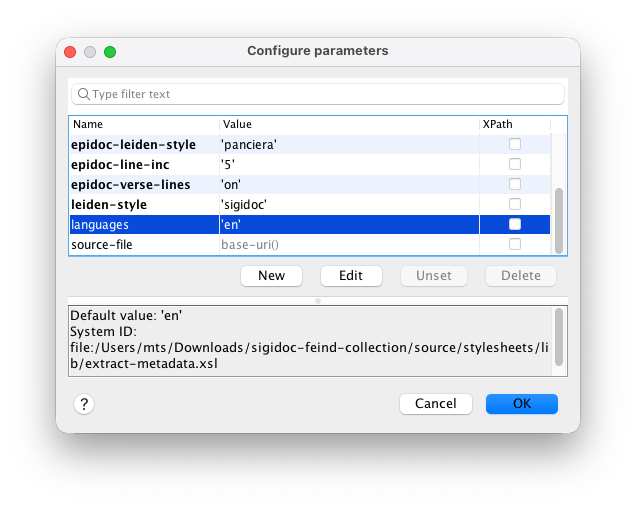
- Double-click
languagesand enteren deas Value: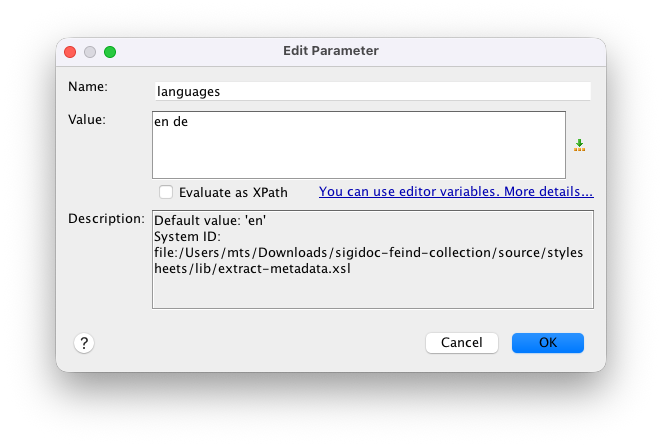
Every field carries an xml:lang attribute (the framework adds this automatically). The downstream stylesheets (create-11ty-data.xsl, aggregate-search-data.xsl) select the fields matching their language parameter.
Also update the existing generate-eleventy-data node's tags from seals to seals-en. This creates a language-specific Eleventy collection. When we add the German node with seals-de later, each language gets its own collection, so the seal list template can show only the right language's seals:
<xsltTransform name="generate-eleventy-data">
    <!-- ... -->
    <stylesheetParams>
      <param name="layout">layouts/document.njk</param>
      <param name="tags">seals-en</param>
      <param name="language">en</param>
    </stylesheetParams>
    <!-- ... -->
</xsltTransform>
Since you changed the tag from seals to seals-en, also update the English seal list template (source/website/en/seals/index.njk) to match:
{# Collection name must match the "tags" stylesheet parameter in the generate-eleventy-data pipeline node #}
{% set documents = collections["seals-en"] %}
NOTE
Note the bracket syntax: collections["seals-en"] instead of collections.seals. This is just another way of accessing a collection that we need here because because the hyphen in seals-en doesn't work with the dot notation that we used before.
Then, add the new German nodes: a prune + transform chain for rendering the German seal HTML pages, and a sidecar data node for German page metadata:
<!-- ===== GERMAN ===== -->

<xsltTransform name="prune-epidoc-german">
    <sourceFiles><files>source/seals/*.xml</files></sourceFiles>
    <stylesheet>
        <files>source/stylesheets/lib/prune-to-language.xsl</files>
    </stylesheet>
    <stylesheetParams>
        <param name="language">de</param>
    </stylesheetParams>
</xsltTransform>

<xsltTransform name="transform-epidoc-german">
    <sourceFiles>
        <from node="prune-epidoc-german" output="transformed"/>
    </sourceFiles>
    <stylesheet>
        <files>source/stylesheets/lib/epidoc-to-html.xsl</files>
    </stylesheet>
    <stylesheetParams>
        <param name="edn-structure">sigidoc</param>
        <param name="edition-type">interpretive</param>
        <param name="leiden-style">sigidoc</param>
        <param name="line-inc">1</param>
        <param name="verse-lines">off</param>
        <param name="bib-link-template">../../bibliography/$1/</param>
        <param name="language">de</param>
        <param name="messages-file"><files>source/translations/messages_de.xml</files></param>
    </stylesheetParams>
    <output to="_assembly/de/seals"
            stripPrefix="source/seals"
            extension=".html"/>
</xsltTransform>

<xsltTransform name="generate-eleventy-data-german">
    <sourceFiles>
        <from node="extract-epidoc-metadata" output="transformed"/>
    </sourceFiles>
    <stylesheet>
        <files>source/stylesheets/lib/create-11ty-data.xsl</files>
    </stylesheet>
    <stylesheetParams>
        <param name="layout">layouts/document.njk</param>
        <param name="tags">seals-de</param>
        <param name="language">de</param>
    </stylesheetParams>
    <output to="_assembly/de/seals"
            stripPrefix="source/seals"
            extension=".11tydata.json"/>
</xsltTransform>
Notice a few highlighted lines above:
- In the
prune-epidoc-germannode, we have set thelanguageparam todesoprune-to-language.xslknows to keep the German elements - In
transform-epidoc-german, we have set thelanguageparam todewhich it passes to the SigiDoc stylesheets for rendering the UI labels in German, and we also pointmessages-fileto the German SigiDoc UI translations file that we'll download later. - Also in
transform-epidoc-german, the output path (toattribute of theoutputelement) to_assembly/de/seals, so the German seal HTML snippets land in their own directory which makes them available at🌎 /de/seals/Feind_XY/on the final site. - In
generate-eleventy-data-germanwe have set thetagsparam toseals-deso it is added to theseals-deEleventy collection, setlanguagetodeso it selects the German metadata from the files generated byextract-epidoc-metadata, and adjusted theoutputconfiguration the same way as intransform-epidoc-germanso the generated JSON sidecar files land next to the transformed German seals.
Notice further that we have added no separate extract-epidoc-metadata node for German: the existing extract-epidoc-metadata handles both languages. Only the HTML rendering (prune + transform) and sidecar generation (generate-eleventy-data) need per-language nodes. generate-eleventy-data-german reads from the same extract-epidoc-metadata as the English version.
TIP
If you have the watcher running, you'll see an error about messages_de.xml not found. That's expected. We just told the transform node to use German translations from messages_de.xml for the SigiDoc seal page UI labels, but haven't added the file yet. Let's fix that now.
Step 2: German UI Labels
Remember how we downloaded messages_en.xml for English UI labels like "Material", "Type", "Dating"? The SigiDoc stylesheets use i18n:text placeholders that get resolved from these message files.
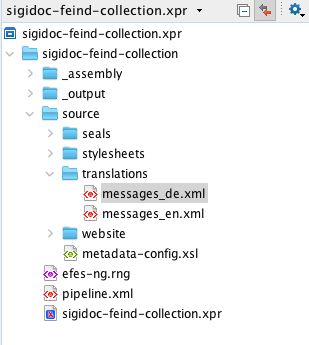
Download messages_de.xml from the SigiDoc EFES repository and save it to source/translations/messages_de.xml. The messages-file parameter we set on the transform node points to this file and registers it as a tracked dependency, so edits to the translations trigger a rebuild.
Build and Inspect
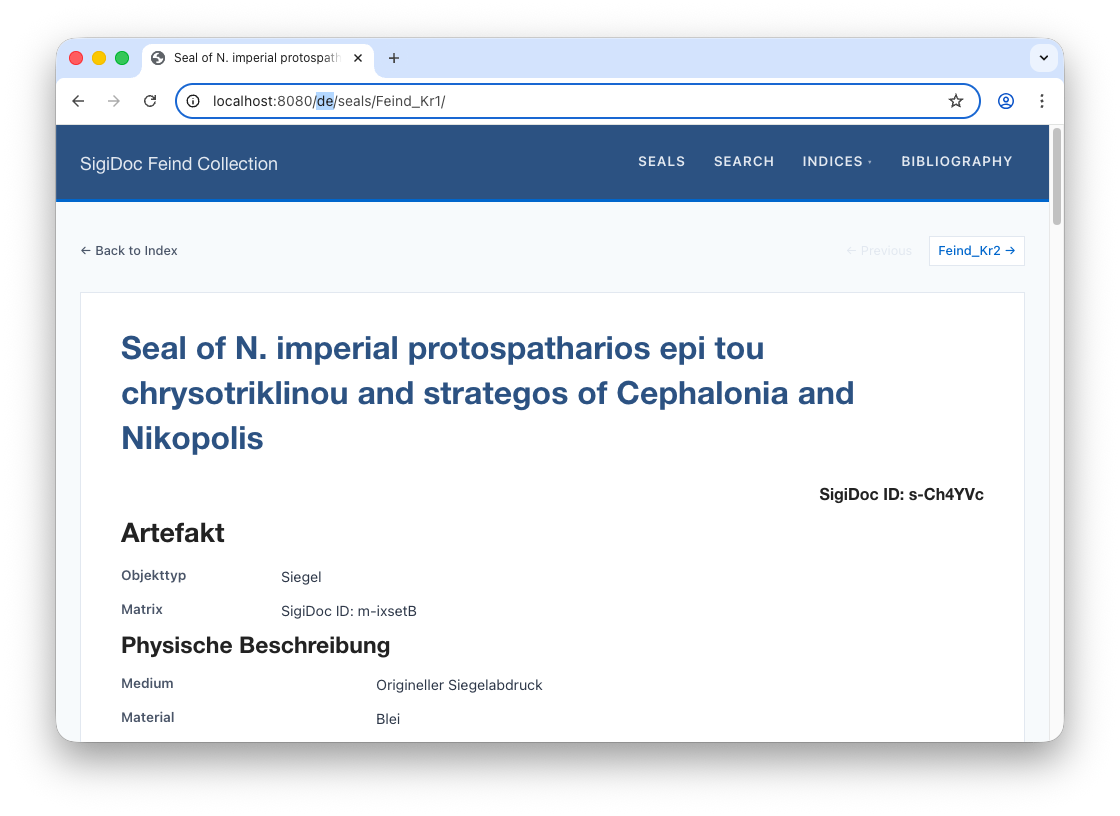
You should see the four new German nodes in the pipeline. Once rebuild is complete, navigate to 🌎 /de/seals/Feind_Kr1/ (notice the de/ in the prefix instead of en/. The seal content is now in German, with German UI labels (the seal title and website shell is still in English – we will fix this later):
Here's what happens to a single source file now:
One source file produces four outputs: an HTML page and a sidecar JSON for each language.
Step 3: Language Switcher
In the preview, navigate to an English seal page like 🌎 /en/seals/Feind_Kr1/. You have seen the German version exists at 🌎 /de/seals/Feind_Kr1/ and you can navigate to it by entering the URL path manually, but how does a user switch between them? Let's add a language switcher to the header.
The website templates from the project scaffold has a language switcher included that can be enabled. Because it needs to know which languages are available (to know which language buttons it should show), it requires a languages.json file in the source/website/_data/ folder. The scaffold already includes this file, but it only has English configured. Open source/website/_data/languages.json and add German in two places:
{
    "codes": ["en", "de"],
    "labels": { "en": "EN", "de": "DE" }
}
The codes list specifies which languages are available, and the labels list controls what labels appear on the respective language switcher buttons for each language code (it could also be "German" and "English" instead of "EN" and "DE").
Then find the commented-out language switcher block in source/website/_includes/header.njk and uncomment it (it is around line 30):
<nav class="language-switcher">
    {% for lang in languages.codes %}
        {% if lang == page.lang %}
            <span class="lang-current">{{ languages.labels[lang] }}</span>
        {% else %}
            <a href="{{ page.url | replace('/' + page.lang + '/', '/' + lang + '/') }}" class="lang-link">{{ languages.labels[lang] }}</a>
        {% endif %}
    {% endfor %}
</nav>
This loops over the configured languages and shows the current one highlighted, with links to switch to the others. The URL replacement swaps the language prefix, so clicking "DE" on 🌎 /en/seals/Feind_Kr1/ takes you to 🌎 /de/seals/Feind_Kr1/:
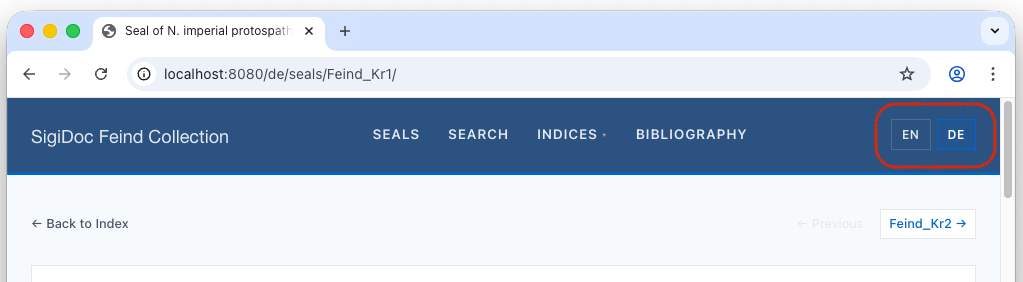
However, seal list at /de/seals/ won't work yet. That's a website shell concern, which we'll handle next.
Step 4: German Seal List
Add the German Seal List page
The German seal pages work, but the seal list at 🌎 /de/seals/ doesn't exist yet. Let's fix that.
We're switching to: Website Templates (source/website/)
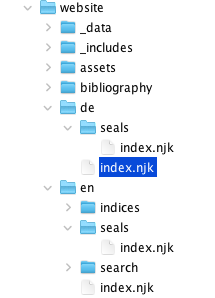
The simplest approach: copy the English seal list template. Create a source/website/de/seals/ directory (mirroring the en/seals/ structure) and copy source/website/en/seals/index.njk into it.
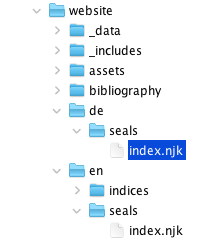
Then open the file and make two changes:
- Change the title to "Siegel"
- Change the collection to
collections["seals-de"], which matches thetags: "seals-de"we set in the German pipeline node
source/website/de/seals/index.njk:
---
layout: layouts/base.njk
title: Siegel
---
{% set documents = collections["seals-de"] %}
Because we used language-suffixed tags (seals-en, seals-de), each language has its own collection. No filtering needed, because collections["seals-de"] contains only German seals.
You also need to update the document layout at source/website/_includes/layouts/document.njk. This is a shared layout (not inside en/ or de/), used by both English and German seal pages. It provides the prev/next navigation between seals. Change its collection reference from collections.seals to collections["seals-" + page.lang]:
{% set documents = collections["seals-" + page.lang] | sort(false, false, "data.sortKey") %}Since page.lang is auto-detected from the /en/ or /de/ directory, this one change makes the layout work for both languages. It automatically shows prev/next links to seals in the same language.
After rebuild, the German seal list now available at 🌎 /de/seals/: 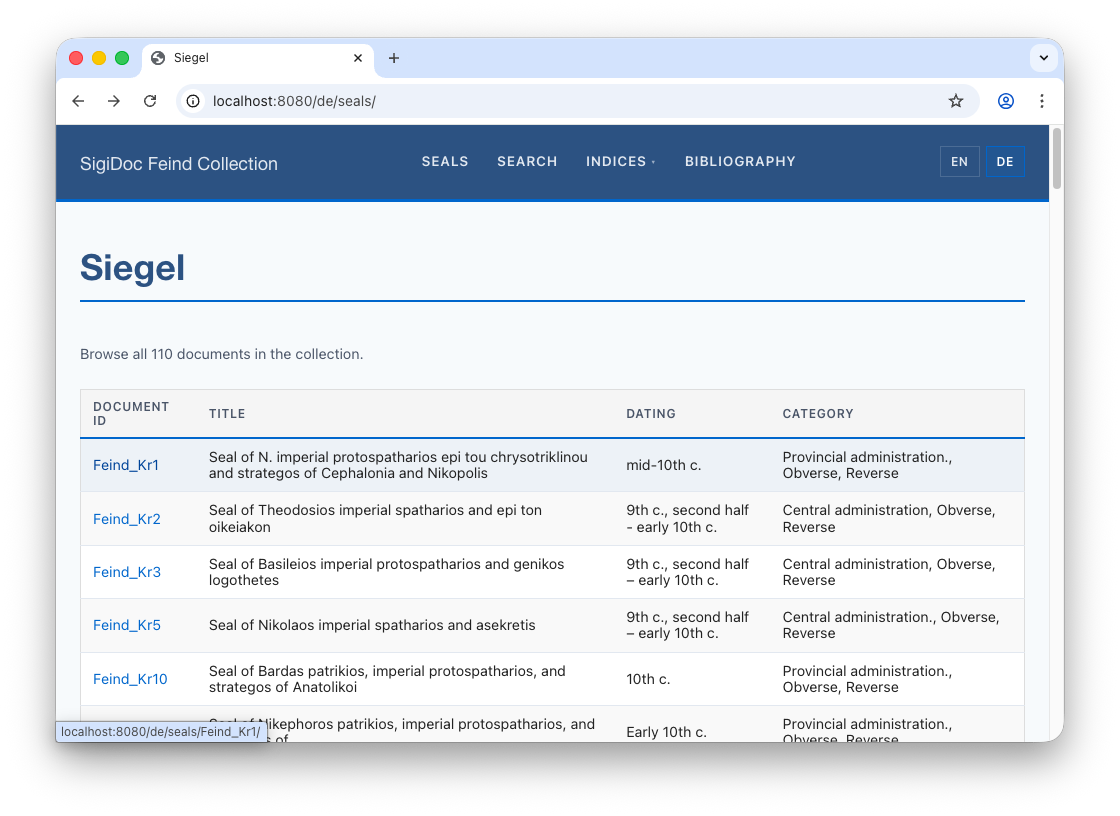
Translate the seal list
You'll notice that while the links lead to the German seal pages, the seal list still shows English data. Why? Let's trace the data flow through the pipeline to find the cause.
NOTE
Read the next section if you'd like a guided walk-through on how to investigate problems through the pipeline, e.g., when you see content on the final website that you didn't expect. It's also a good occasion to re-familiarise with the frameworks data flow principles.
If you want to skip it, fast-forward to the solution by reading on from the next section: Showing German Seal List Data.
Find The problem
In Customizing the seal list, we learned how the data flows from the SigiDoc source XML for each seal to the rendered seal list on the website (see the graph on the side). Let's try to find out where the English data in the seal list is coming from by following it backwards.
- We know that the German seal list is populated with data from the JSON sidecar files (such as
Feind_KR1.11tydata.json) generated by thegenerate-eleventy-data-germannode. Let's inspect this node's output by clicking the folder icon next to the node's name in the GUI (which will open the node's configured output path_assembly/de/seals) and openFeind_KR1.11tydata.json:jsonSo at this stage, the data is already English. We have to go back a step.{ ... "documentId":"Feind_Kr1", "title":"Seal of N. imperial protospatharios epi tou chrysotriklinou and strategos of Cephalonia and Nikopolis", ... }
The data in
Feind_KR1.11tydata.jsonis generated from the seal metadata extracted by theextract-epidoc-metadatanode. Click the folder icon next to this node to inspect it's output, go inside the nestedsourceandsealsdirectory, and openFeind_KR11.xml. We would expect a German title there extracted in a<title xml:lang="de">element. But we find:xml<title xml:lang="de">Seal of N. imperial protospatharios epi tou chrysotriklinou and strategos of Cephalonia and Nikopolis</title>The title has an
xml:lang="de"attribute so it should be German, but it is in English. We have to go back another step to see where this is coming from.The metadata XML for each seal is generated according to our
extract-metadatatemplate inmetadata-config.xsl. Here, we extract the seal titles as follows:xml<xsl:template match="tei:TEI" mode="extract-search"> <title><xsl:value-of select="(//tei:titleStmt/tei:title[1]/normalize-space(.)[.], $filename)[1]"/></title> <!-- ... --> </xsl:template>This will select the first
titleStmt/titlein the seal XML, normalize spaces, and falls back to the$filenameif no matching title could be found.Let's see how the title is encoded in SigiDoc:
xml<titleStmt> <title xml:lang="en">Seal of N. ...</title> <title xml:lang="de">Siegel des ...</title> <title xml:lang="el">Μολυβδόβουλλο...</title>Our XPath selects the first title, but the first title is always English! This is why the English title flows through the pipeline up to the final seal list.
Showing German Seal List Data
To fix this and show the German title and other data in the seal list, we need to adapt our extraction XPath to extract the title for each language. Here's how it works:
The framework (or more specifically, the stylesheets/lib/extract-metadata.xsl template provided by the framework that metadata-config.xsl imports calls the extract-metadata template once per language configured in the languages XSLT param passed in the node configuration. On each call the currently processed language as passed to the template as the $language parameter which we can use to select the right element. To use it, we have to first declare it at the top of the template. The scaffold already includes it, we just have to uncomment it:
metadata-config.xsl:
<xsl:template match="tei:TEI" mode="extract-metadata">
	<!-- ... -->

	<!-- This template is evaluated once per configured language ("languages"
         xslt param, e.g. "en de"), with the $language tunnel param set to the
         currently processed language on each pass. -->
	<xsl:param name="language" tunnel="yes"/>

	<!-- ... -->
Now that we can access the $language parameter passed to the template, we can use it to select and extract the right title element:
<xsl:template match="tei:TEI" mode="extract-metadata">
	<!-- ... -->
	<title><xsl:value-of select="(//tei:titleStmt/tei:title[@xml:lang=$language]/normalize-space(.)[.], $filename)[1]"/></title>
	<!-- ... -->
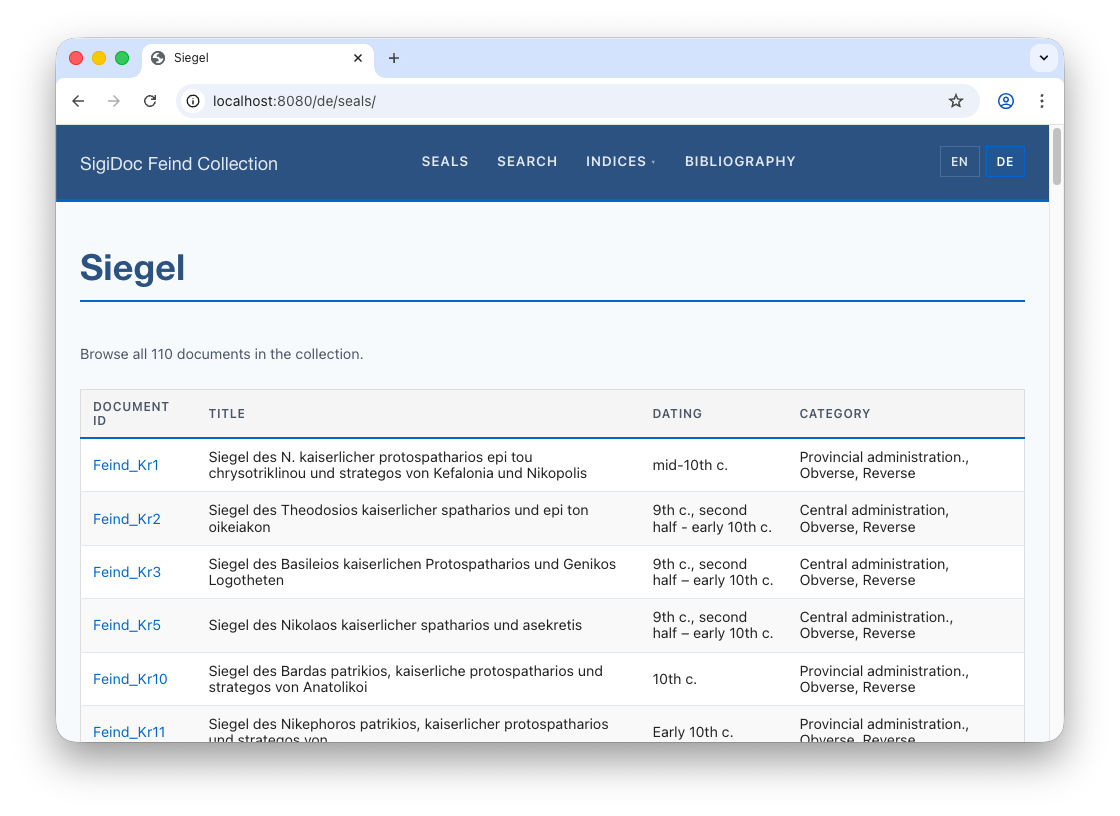
Let the pipeline rebuild, switch to the preview, and navigate to the German seal list. German titles are now correctly extracted and shown in the final list:
Let's use the same approach to show German data also for the Dating and Category columns. In extract-metadata.xsl select the right tei:origDate/tei:seg and tei:summary/tei:seg per language using the $language parameter by replacing the [@xml:lang='en'] predicates with [@xml:lang=$language]:
<xsl:template match="tei:TEI" mode="extract-metadata">
	<!-- ... -->
	  <origDate><xsl:value-of select="string-join(//tei:origDate/tei:seg[@xml:lang='en'], ', ')"/></origDate>
	  <origDate><xsl:value-of select="string-join(//tei:origDate/tei:seg[@xml:lang=$language], ', ')"/></origDate>
      <category><xsl:value-of select="string-join(//tei:msContents/tei:summary/tei:seg[@xml:lang='en']/normalize-space(.), ', ')"/></category>
      <category><xsl:value-of select="string-join(//tei:msContents/tei:summary/tei:seg[@xml:lang=$language]/normalize-space(.), ', ')"/></category>
	<!-- ... -->
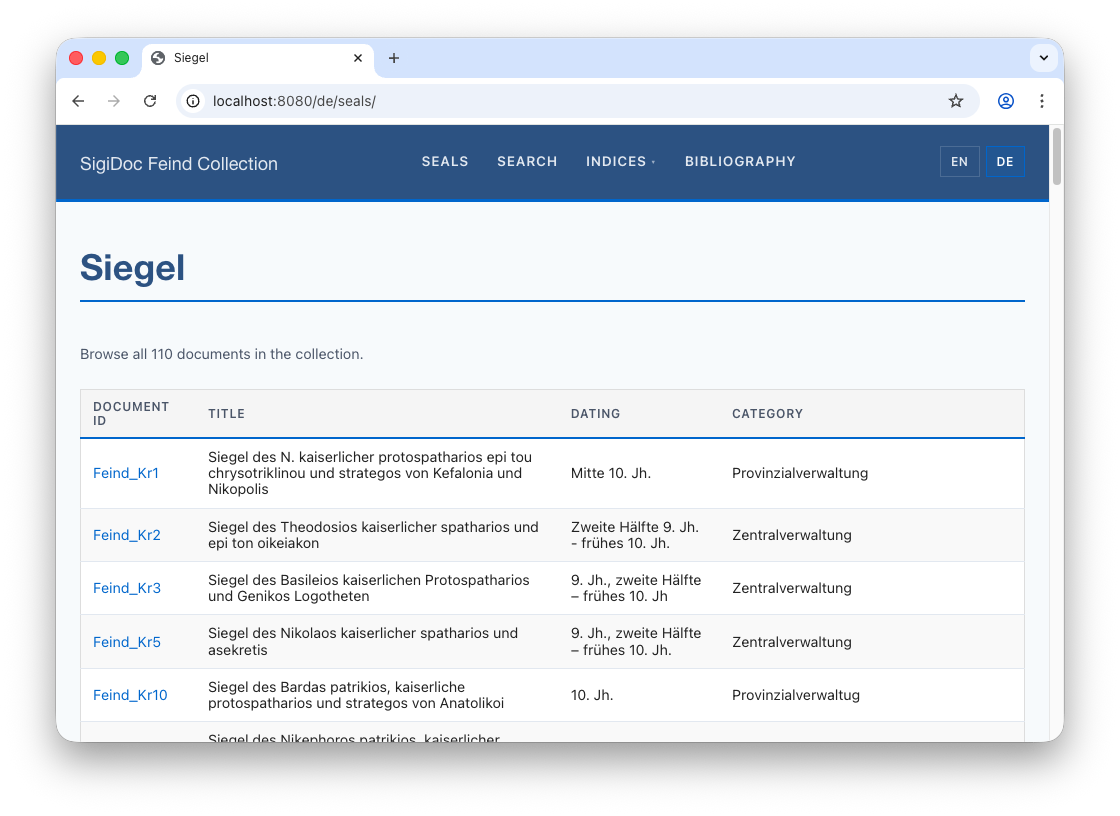
When the German seal list loads, all data is in German now:
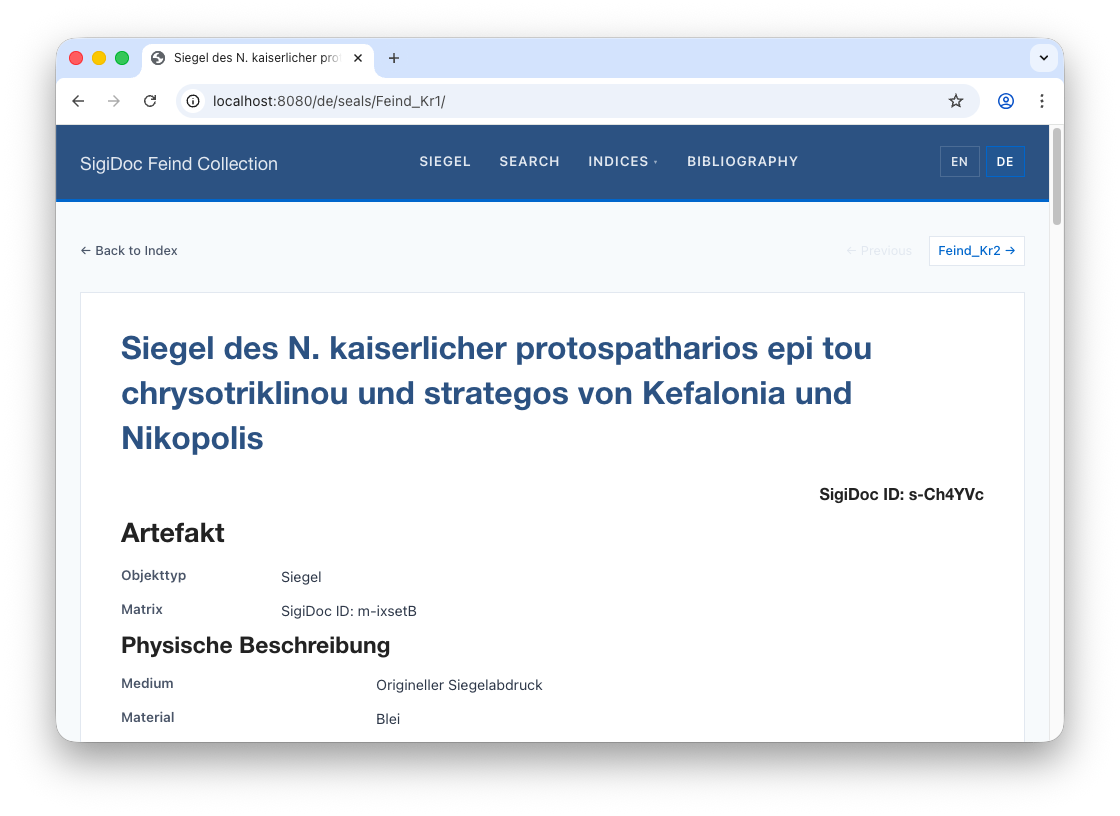
Note that this has also fixed the seal titles on the individual German seal pages, as these are generated from the extracted metadata, too:
Step 5: German Homepage
---
layout: layouts/base.njk
title: Sammlung Robert Feind
suppressTitle: true
---

<div class="home-hero">
    <h1 class="home-title">Sammlung Robert Feind</h1>
</div>

<div class="home-section">
    <p>Eine digitale Edition byzantinischer Bleisiegel aus der Sammlung Robert Feind,
    kodiert nach dem <a href="https://sigidoc.huma-num.fr/">SigiDoc</a>-Standard.</p>
</div>
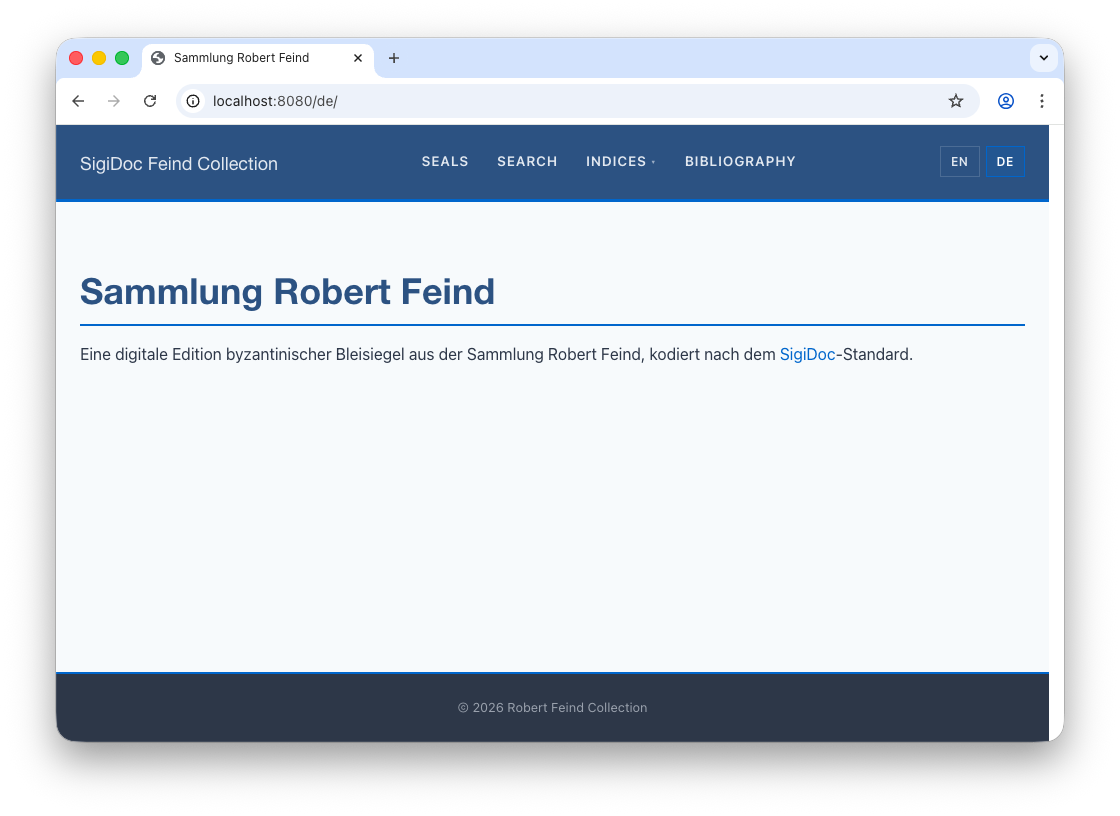
Navigate to 🌎 /de/. You now have a German homepage:
Step 6: Translating the Website Shell
We now have German seal pages, a German seal list, and a German homepage. But look at the header: the navigation menu still says "Seals", "Search", "Indices" on German pages too. The prev/next links say "Previous" and "Next". All of this text is hardcoded in the templates and needs translating.
Unlike the seal list or homepage, we can't just copy these files per language. The header, footer, and document layout are shared includes: one header.njk is used by every page on the site, regardless of language. Both /en/seals/ and /de/seals/ include the same file. It needs to display "Seals" or "Siegel" depending on which page is using it.
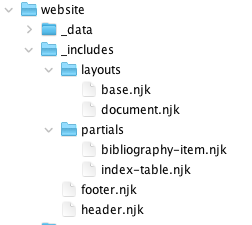
Our project's Eleventy configuration file (source/website/eleventy.config.js) provides a | t filter for this. It reads translation files from source/website/_data/translations/ (one JSON file per language: en.json, de.json, etc.) and looks up a key based on the current page's language.
NOTE
The approach is the same one we saw for the SigiDoc XSLT UI labels (messages_en.xml with key lookups), but adapted for Eleventy templates: translation files that map keys to translated strings, and a method to look them up.
The language file defines the translation keys and texts like this:
source/website/_data/translations/en.json:
{
    "seals": "Seals",
    "indices": "Indices",
    "search": "Search",
    "bibliography": "Bibliography",
    "backToIndex": "Back to Index",
    "previous": "Previous",
    "next": "Next"
}
In a template, you use it wherever a translated text should appear:
{{ "seals" | t }}On an English page (page.lang = "en"), this looks up seals in en.json and outputs "Seals". On a German page, it looks up the same key in de.json and outputs "Siegel". If a key is missing in the current language, it falls back to English, then to the raw key wrapped in brackets.
The scaffold includes an en.json.example file in source/website/_data/translations/. Rename it to en.json and, and then create a de.json alongside it with the German translations:
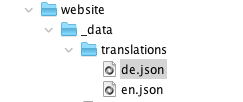
source/website/_data/translations/de.json:
{
    "seals": "Siegel",
    "indices": "Indizes",
    "search": "Suche",
    "bibliography": "Bibliographie",
    "backToIndex": "Zurück zur Übersicht",
    "previous": "Zurück",
    "next": "Weiter"
}
Then replace hardcoded strings in your templates with | t lookups. For example, the Seals main menu entry in source/website/_includes/header.njk:
<!-- ... -->
<!-- Navigation Menu -->
<nav class="site-nav">
	<!-- Before -->
	<a href="/{{ page.lang }}/seals/" class="nav-link">Seals</a>

	<!-- After -->
	<a href="/{{ page.lang }}/seals/" class="nav-link">{{ "seals" | t }}</a>
The t filter automatically looks up the key in the translation file matching page.lang. If no translation is found, it falls back to English, then to the raw key wrapped in brackets.
Switch to the preview: You should see that the Seals main menu entry has changed to Siegel: 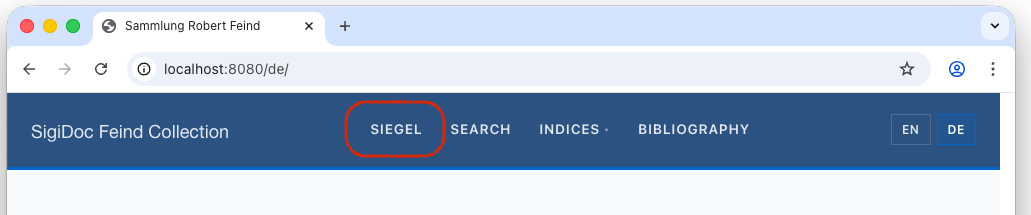
If you like, try it on a few texts across the website. It's a good occasion to explore which template is responsible for what parts of the pages. Then let's go on to internationalise the remaining sections of the site.
How many strings need converting?
About 20 across all templates, mostly in the header (nav labels), document layout (prev/next/back), and the seal list (column headers, intro text).
Step 7: German Search Page
As data used for search and search results display extracted as defined extract-metadata.xsl (in the extract-search template, see Search), we need to make a few changes to make it pick the data for the right language (very similar to how we did it for the seal list above).
Open extract-metadata.xml to make the following changes (affected lines highlighted and changes marked with rectangles) to select the right language for each data field:
<xsl:template match="tei:TEI" mode="extract-search">
	<xsl:param name="language" tunnel="yes"/> <!-- add this line! -->

	<title><xsl:value-of select="(//tei:titleStmt/tei:title[@xml:lang=$language]/normalize-space(.)[.], $filename)[1]"/></title>
	<sortKey><xsl:value-of select="$sortKey"/></sortKey>

	<origDate><xsl:value-of select="string-join(//tei:origDate/tei:seg[@xml:lang=$language], ', ')"/></origDate>

 <!-- ... -->
</xsl:template>
The search page needs one more pipeline change. Currently, only English search data is generated. Add a German search data node to pipeline.xml:
We're switching to: Pipeline Configuration (pipeline.xml)
<xsltTransform name="aggregate-search-data-german">
    <stylesheet><files>source/stylesheets/lib/aggregate-search-data.xsl</files></stylesheet>
    <initialTemplate>aggregate</initialTemplate>
    <stylesheetParams>
        <param name="metadata-files">
            <from node="extract-epidoc-metadata" output="transformed"/>
        </param>
        <param name="language">de</param>
    </stylesheetParams>
    <output to="_assembly/search-data" filename="documents_de.json"/>
</xsltTransform>
This node is basically a copy of the aggregate-search-data node for English, with the language stylesheet param and the output filename changed from en to de. This produces documents_de.json (filename set in the output element) with German titles, dates, and milieu names or the search facets.
We're switching to: Website Templates (source/website/)
Then create the German search page: create the source/website/de/search directory, copy the English source/website/en/search/index.njk to source/website/de/search/index.njk, open it in the editor and change the title in the frontmatter to "Suche":
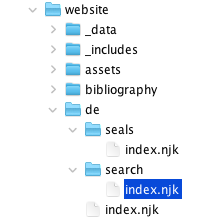
source/website/de/search/index.njk:
---
layout: layouts/base.njk
title: Suche
---
The search page template already uses page.lang to determine the current language from it's path (/de/ or /en), so the German search page automatically loads the German data file and links to German results. Switch to the preview and navigate to the German search page (🌎 /de/search):
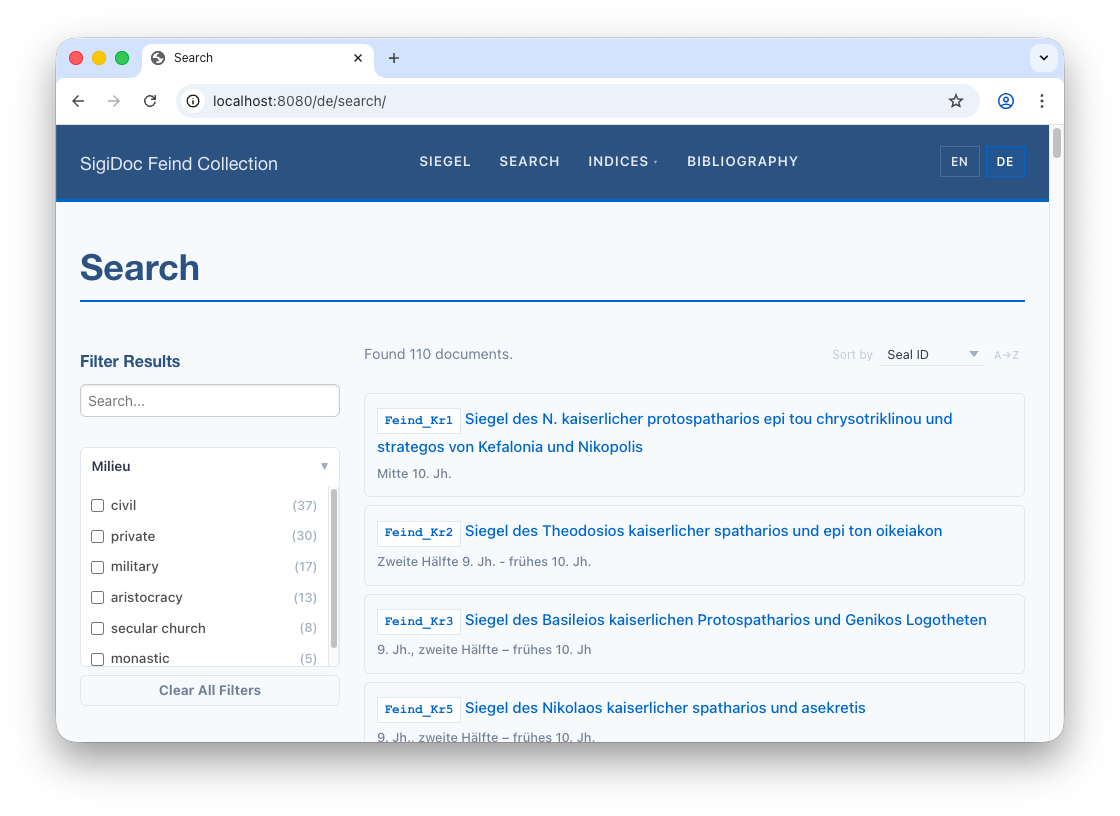
NOTE
The facet values for milieu are derived from an attribute value in the source XML and SigiDoc does not provide a way to encode them multilingually. To translate them, you could either use authority files or pre-process the values in the extract-search template. For an example of this, see the metadata-config.xsl of the full Feind Collection Example Project
Step 8: German Entity Index
Persons Index
Metadata Extraction
To get a German persons index page, we first have to adapt metadata-config.xsl to extract the persons data for each language, using the same pattern we used for the seal list, and search.
Open metadata-config.xsl and make the following small change to the extract-persons template:
   <xsl:template match="tei:TEI" mode="extract-persons">
		<xsl:param name="language" tunnel="yes"/>
        <xsl:for-each select=".//tei:listPerson[@type='issuer']/tei:person">
            <xsl:variable name="name" select="(tei:persName[@xml:lang=$language], tei:persName)[1]"/>
            <xsl:variable name="forename" select="normalize-space($name/tei:forename)"/>
            <xsl:variable name="surname" select="normalize-space($name/tei:surname)"/>
            <xsl:if test="$forename or $surname">
                <entity indexType="persons">
                    <forename><xsl:value-of select="$forename"/></forename>
                    <surname><xsl:value-of select="$surname"/></surname>
                    <sortKey><xsl:value-of select="lower-case(string-join(($forename, $surname)))"/></sortKey>
                </entity>
            </xsl:if>
        </xsl:for-each>
    </xsl:template>
This is the only change we need: Changing the [@xml:lang='en'] predicate to [@xml:lang=$language] when we select the persName element.
Copy the remaining index pages to German. The data-driven content (index tables) handles language automatically. You just need to copy the template and translate the title.
German Persons Page
Now we need to add the German version of the index to the website templates. Language selection is handled automatically by the included index-table.njk partial.
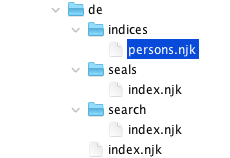
Create the source/website/de/indices/ directory and copy source/website/en/indices/persons.njk into it. Open source/website/de/indices/persons.njk in the editor and translate the title:
---
layout: layouts/base.njk
title: Personen
---

{% set documentBasePath = "/" + page.lang + "/seals" %}
{% set indexData = indices.persons %}
{% include "partials/index-table.njk" %}

<!-- ... -->
Switch to the preview and navigate to the German persons index at 🌎 /de/indices/persons to see the page working:
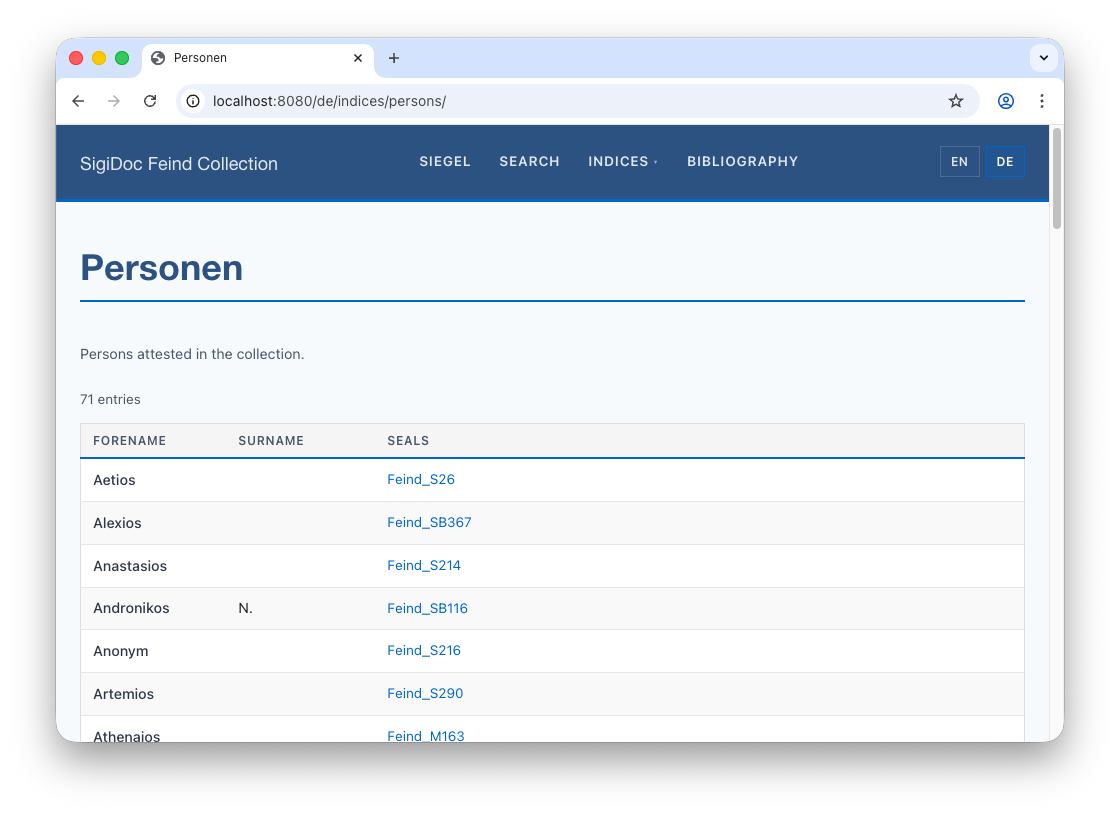
Notice that the index descriptions and the table column headers are still in English. We'll fix this next.
Entity Index Description and Table Column Headers
The title, index description and the table column headers are defined in the index definition in metadata-config.xsl:
<idx:index id="persons" nav="indices" order="10">
	<idx:title>Persons</idx:title>
	<idx:description>Persons attested in the collection.</idx:description>
	<idx:columns>
		<idx:column key="forename"><idx:label>Forename</idx:label></idx:column>
		<idx:column key="surname"><idx:label>Surname</idx:label></idx:column>
		<idx:column key="references" type="references"><idx:label>Seals</idx:label></idx:column>
	</idx:columns>
</idx:index>
The idx:title, idx:description, and idx:label elements can take a xml:lang attribute specifying the languages. When you provide language variants of them, they are propagated through the pipeline to _assembly/_data/indices/_summary.json generated by the aggregate-indices node and automatically picked up by the source/website/_includes/partials/index-table.njk partial that generates the index tables.
Add xml:lang="en" to each of the existing idx:title, idx:description, and idx:label elements, and duplicate them with xml:lang="de" and translate to German:
<idx:index id="persons" nav="indices" order="10">
	<idx:title xml:lang="en">Persons</idx:title>
	<idx:title xml:lang="de">Personen</idx:title>
	<idx:description xml:lang="en">Persons attested in the collection.</idx:description>
	<idx:description xml:lang="de">Personen in der Sammlung.</idx:description>
	<idx:columns>
		<idx:column key="forename">
			<idx:label xml:lang="en">Forename</idx:label>
			<idx:label xml:lang="de">Vorname</idx:label>
		</idx:column>
		<idx:column key="surname">
			<idx:label xml:lang="en">Surname</idx:label>
			<idx:label xml:lang="de">Nachname</idx:label>
		</idx:column>
		<idx:column key="references" type="references">
			<idx:label xml:lang="en">Seals</idx:label>
			<idx:label xml:lang="de">Siegel</idx:label>
		</idx:column>
	</idx:columns>
</idx:index>
Switch to the preview. The index description and column headers for the German persons index now correctly show the German translations:
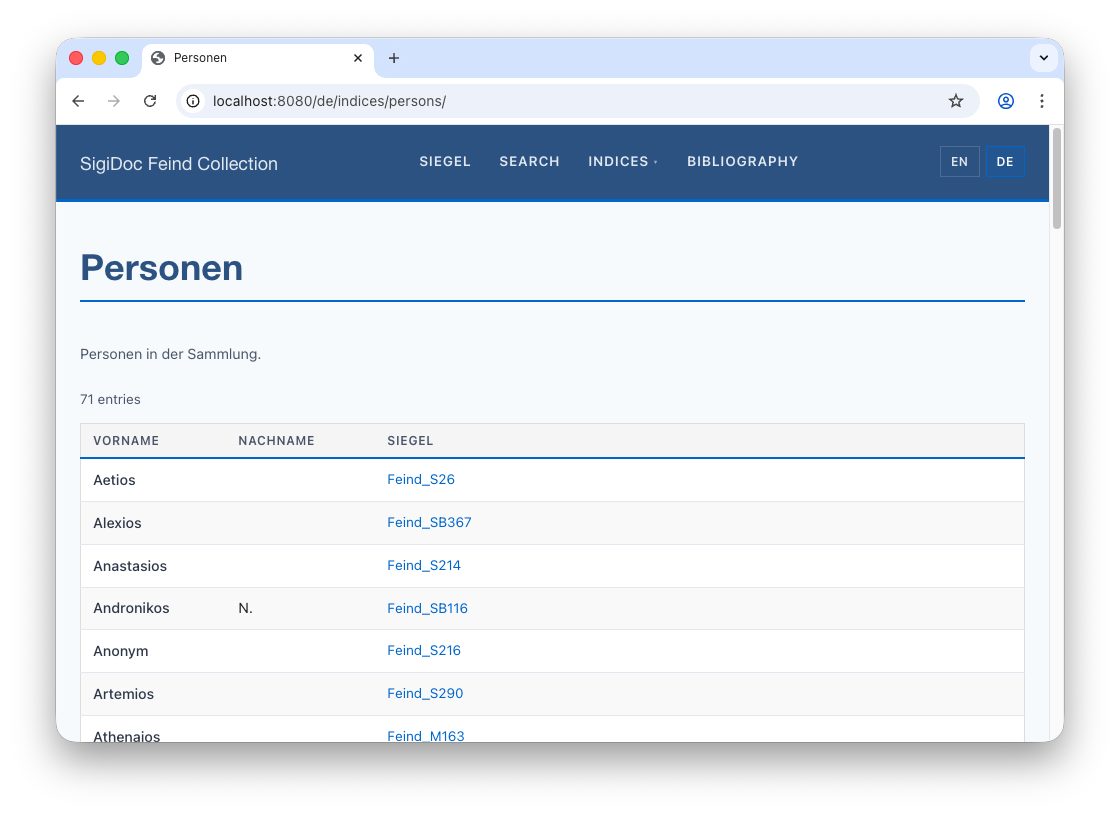
Entity Indices Landing Page
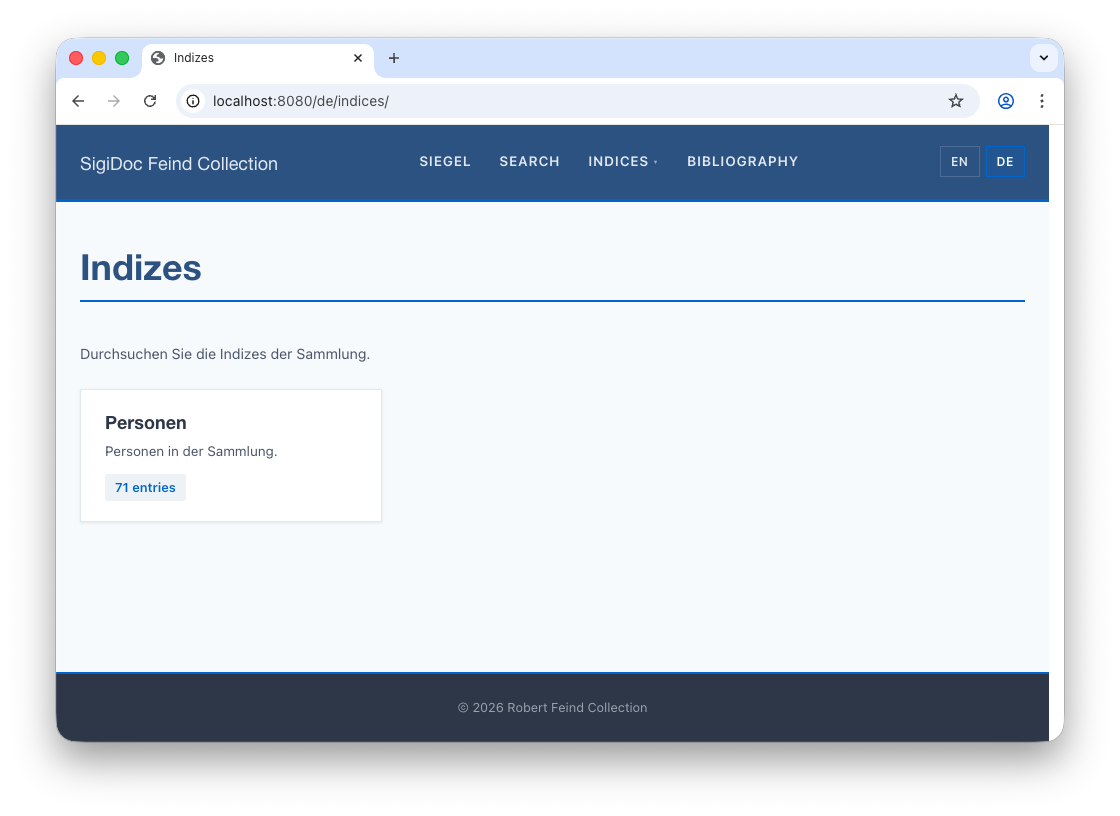
Copy the English source/website/en/indices/index.njk to source/website/de/indices/index.njk, and translate the copy text:
---
layout: layouts/base.njk
title: Indizes
---

<p class="index-intro">Durchsuchen Sie die Indizes der Sammlung.</p>

<!-- ... -->
This will make the German indices landing page at 🌎 /de/indices work:
Step 9: Using Template Pagination
This Works, But Doesn't Scale
Take a step back and look at what we've done: we copied the seal list, search page, indices landing, and persons index. Those four templates are mostly identical across languages. For content pages like the homepage, copying and translating by hand is fine, because the text is unique to each language. But these data-driven pages are essentially the same template with a different title.
If we add Greek, we copy all four again. Every change to the table layout needs updating in all copies. For three or more languages, this becomes tedious and error-prone.
NOTE
While following the steps in this section is not technically required to create working multi-lingual sites, it is recommended to follow it is a good example to apply the Do Not Repeat Yourself (DRY) principle, a paradigm in software engineering which helps to write maintainable code. Also, the last two tutorial steps will be easier to follow if you have worked through these steps.
Concept: Template Pagination
Above, we copied four data-driven templates (seal list, search, indices landing, persons index) per language. Eleventy's pagination feature lets us replace each pair with a single template that produces pages for all languages automatically. The general steps for each template are:
- Delete the German copy (
de/seals/index.njk) - Move the English version to the site root and rename it (e.g.,
en/seals/index.njk→seals.njk) - Add pagination front matter that iterates over
languages.json
Let's walk through it for the seal list:
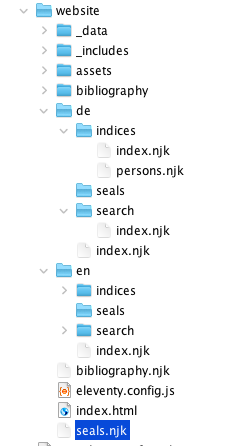
- Delete the German-specific
source/website/de/seals/index.njkcopy - Rename
source/website/en/seals/index.njktoseals.njkand move it tosource/website/seals.njk(root level, outside any language directory) - Open
source/website/seals.njkand replace the front matter (everything including and between the two---) with the following pagination configuration (just copy-and-paste it in):
source/website/seals.njk:
---
layout: layouts/base.njk
permalink: "{{ langCode }}/seals/index.html"
pagination:
    data: languages.codes
    size: 1
    alias: langCode
eleventyComputed:
    title: "{{ 'seals' | t }}"
---
WARNING
Occasionally, when copy-and-pasting (especially into Oxygen XML editor), the pasted code looses the indentation. For this front matter, correct indentation is necessary or you'll get an error. When pasting, double check the indentation of the lines highlighted above. If it is missing, indent the affected lines with a tab each.
What does each property do?
permalink: Tells Eleventy what output file to produce for each language. Uses thelangCodevariable to put each page under its language prefixpagination.data: The data to iterate over. Here it points tolanguages.codesfrom oursource/website/_data/languages.jsonfile (["en", "de"])pagination.size: Produce exactly one page per language.pagination.alias: The variable name for the current item. We uselangCode, which becomes"en"or"de"in each iterationeleventyComputed.title: The title needs to be different for each language, so we can't just writetitle: Seals(that would be the same for every generated page).eleventyComputedtells Eleventy to evaluate the value at render time (like a template expression), so{{ 'seals' | t }}resolves to "Seals" or "Siegel" depending on the current language
- Change the collection reference further down to use
page.lang:njk{# Collection name must match the "tags" stylesheet parameter in the generate-eleventy-data pipeline node #} {% set documents = collections["seals-" + page.lang] %}
Eleventy replaces page.lang with the current language and appends it to "seals-", so it becomes "seals-en" or "seals-en", respectively.
TIP
If you see a persistent build error after renaming or deleting files, it may be caused by stale files from a previous build. Stop the pipeline, click Clean in the GUI (or run efes-ng clean on the command line), and rebuild.
Eleventy evaluates the langCode variable for each language code and generates a page for each:
The original en/seals/index.njk and the copied de/seals/index.njk are now replaced by a single seals.njk. Adding Greek later is just adding "el" to languages.json.
Switch to the preview and check the German and English seal list pages: they should work as before. If you sea "[seals]" as page title, make sure to add translation entries to source/website/_data/translations/en.json and de.json respectively:
{
   ...
    "resultCountFiltered": "Found {count} of {total} documents.",
    "sortBy": "Sort by"
    "sortBy": "Sort by",
    "seals": "Seals"
}
Apply the same pattern to the other copied templates. Each one: move to root, add pagination front matter, delete the de/ copy.
Walkthrough: Convert remaining pages to pagination
1. Search page: Delete source/website/de/search/index.njk, move source/website/en/search/index.njk to source/website/search.njk, change frontmatter to:
---
layout: layouts/base.njk
permalink: "{{ langCode }}/search/index.html"
pagination:
    data: languages.codes
    size: 1
    alias: langCode
eleventyComputed:
    title: "{{ 'search' | t }}"
---
2. Indices landing page: Delete source/website/de/indices/index.njk, move source/website/en/indices/index.njk to source/website/indices.njk, change frontmatter to:
---
layout: layouts/base.njk
permalink: "{{ langCode }}/indices/index.html"
pagination:
    data: languages.codes
    size: 1
    alias: langCode
eleventyComputed:
    title: "{{ 'indices' | t }}"
---
3. Persons index page: Delete source/website/de/indices/persons.njk, move source/website/en/indices/persons.njk to source/website/index-persons.njk, change frontmatter to:
---
layout: layouts/base.njk
permalink: "{{ langCode }}/indices/persons/index.html"
pagination:
    data: languages.codes
    size: 1
    alias: langCode
eleventyComputed:
    title: "{{ 'persons' | t }}"
---
Add missing title translations: For the index titles, we used the translation keys
indices,seals, andpersons. Thede.jsonanden.jsontranslation files insource/website/data/translationsare currently missing these entries. Make sure to add them for both languages, or you will see the keys wrapped in square brackets appear.Remove stale language directories. To clean up the website source structure, we can also remove the following now-empty language specific directories:
website/en/indiceswebsite/en/searchwebsite/de/indiceswebsite/de/search
TIP
The permalink front matter property that controls where pages generated from this template end up only matters for templates that need to produce multiple outputs. For pipeline-generated content (like the individual seal HTML pages), the output path is determined by the pipeline's <output> configuration, so no permalink is needed.
Copy vs. Pagination: Which to Choose?
| Copy approach | Pagination approach | |
|---|---|---|
| Initial Setup | Copy file, translate text in template | Move file, add front matter, translate text using key lookup method with | t filter |
| Adding a language | Copy all templates and make language-specific changes again | Add one code to languages.json |
| Changing a template | Update every copy | Update one file |
| Content pages (homepage, about) | Recommended – content is unique per language | Not useful – nothing to share |
| Data-driven pages (seal list, indices, search) | Works okay for 2 languages | Recommended for 3 or more languages |
| Complexity | Simple, explicit | Requires understanding pagination front matter |
Both approaches are valid. Use what fits your project. You can mix them: pagination for data-driven pages, copy for content pages.
Adding More Languages
If you're using the pagination approach, adding a third language (e.g., Greek) is straightforward, because the templates already generate pages for all languages in languages.json. You only need to add pipeline nodes and translation files:
- Pipeline: Add
elto thelanguagesparam inextract-epidoc-metadata:en de el - HTML rendering: Add
prune-epidoc-greekandtransform-epidoc-greeknodes, setlanguageXSLT parameter toelfor both, and fortransform-epidoc-greekmake sure it references themessages_el.xmltranslation file in the respective XSLT param - Sidecar data: Add
generate-eleventy-data-greekwithtags: "seals-el"andlanguage: el - Search data: Add
aggregate-search-data-greekwithlanguage: elandfilename: documents_el.json - XSLT UI labels: Add
messages_el.xmltranslation file from the SigiDoc repository - Website shell: Add
el.jsontranslation data and"el"tolanguages.json
If you're using the copy approach, you also need to duplicate all templates to el/ paths and adapt them according to the language.
The full [SigiDoc Feind Collection](https://github.com/olvidalo/efes-ng-sigidoc-feind) example project's `source/website/` directory has a complete set of multi-language templates that you can use it as a reference.
What We've Built
Template Structure
Here's how the website template directory changed from single-language to multi-language (with pagination):
| Before (single-language) | After (multi-language with pagination) | |
|---|---|---|
en/index.njk | en/index.njk | Content page (English) |
de/index.njk | Content page (German) | |
en/seals/index.njk | seals.njk | Paginated → /en/seals/, /de/seals/ |
en/search/index.njk | search.njk | Paginated → /en/search/, /de/search/ |
en/indices/index.njk | indices.njk | Paginated → /en/indices/, /de/indices/ |
en/indices/persons.njk | index-persons.njk | Paginated → /en/indices/persons/, ... |
_includes/... | _includes/... | Shared (uses | t filter) |
_data/... | _data/languages.json | Language codes + labels |
_data/translations/en.json | English UI strings | |
_data/translations/de.json | German UI strings |
Pipeline
The complete multi-language pipeline:
The German nodes (highlighted in blue) add a prune + transform chain for HTML rendering, a sidecar data node, and a search data node. The metadata extraction and index aggregation are shared: one node each handles both languages.
Now that we have multi-language support, let's create a genuinely multilingual index: Authority Files and Places Index →