Bibliography
We'll create two things: a bibliography index (a table listing all cited works) and detail pages (one per work, showing which seals cite it and where).
Step 1: Add the Authority File
We're working with: Source Files (source/authority/)
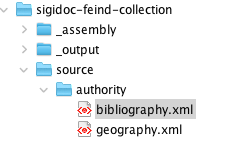
Like the geography authority file for places, bibliography entries live in a shared authority file. Download bibliography.xml from the SigiDoc authority repository and save it to source/authority/bibliography.xml.
Each entry has an ID, an abbreviated citation, and structured metadata:
<bibl type="book" xml:id="SeibtWassiliou2015">
<bibl type="abbrev">Seibt & Wassiliou-Seibt, 2015</bibl>
<author><forename>W.</forename><surname>Seibt</surname></author>
<author><forename>A.-K.</forename><surname>Wassiliou-Seibt</surname></author>
<title level="m">Der byzantinische Mensch in seinem Umfeld...</title>
<pubPlace>Hannover</pubPlace>
<publisher>VML Vlg Marie Leidorf</publisher>
<date>2015</date>
</bibl>The seal XML references these entries by ID:
<bibl>
    <ptr target="SeibtWassiliou2015"/>, <citedRange unit="page">p. 66-7</citedRange>
</bibl>
Step 2: Declare the Pipeline Dependency
We're switching to: Pipeline Configuration (pipeline.xml)
In pipeline.xml, add the bibliography file as a parameter to the extract-epidoc-metadata node, just like we did for the geography file:
<xsltTransform name="extract-epidoc-metadata">
  <sourceFiles><files>source/seals/*.xml</files></sourceFiles>
  <stylesheet><files>source/metadata-config.xsl</files></stylesheet>
  <stylesheetParams>
    <param name="languages">en de</param>
    <param name="geography-file">
      <files>source/authority/geography.xml</files>
    </param>
    <param name="bibliography-file">
	    <files>source/authority/bibliography.xml</files>
	</param>
  </stylesheetParams>
</xsltTransform>
We're switching to: metadata extraction configuration (source/metadata-config.xsl)
And add the parameter declaration at the top of metadata-config.xsl (just below the geography parameter):
<xsl:import href="stylesheets/lib/extract-metadata.xsl"/>

<xsl:param name="geography-file" as="xs:string"/>
<xsl:variable name="geography" select="document('file://' || $geography-file)"/>

<xsl:param name="bibliography-file" as="xs:string"/>
<xsl:variable name="bibliography" select="document('file://' || $bibliography-file)"/>
Step 3: Add and Translate the Bibliography Index Definition
The scaffold includes a commented-out bibliography index definition and extraction template. Find them in metadata-config.xsl and uncomment both the <idx:index> block and the extract-bibliography template below it.
Let's translate the uncommented index definition using our known pattern:
<idx:index id="bibliography" nav="bibliography" order="10">
	<idx:title xml:lang="en">Bibliography</idx:title>
	<idx:title xml:lang="de">Bibliographie</idx:title>
	<idx:description xml:lang="en">Bibliographic references.</idx:description>
	<idx:description xml:lang="de">Bibliographische referenzen.</idx:description>
	<idx:columns>
		<idx:column key="shortCitation">
			<idx:label xml:lang="en">Citation</idx:label>
			<idx:label xml:lang="de">Zitat</idx:label>
        </idx:column>
        <idx:column key="fullCitation">
	        <idx:label xml:lang="en">Full Citation</idx:label>
	        <idx:label xml:lang="de">Literaturangabe</idx:label>
        </idx:column>
        <idx:column key="references" type="references">
			<idx:label xml:lang="en">Seals</idx:label>
			<idx:label xml:lang="de">Siegel</idx:label>
        </idx:column>
    </idx:columns>
</idx:index>
Notice nav="bibliography": this is different from the persons and places indices which use nav="indices" (the default). The header navigation filters by this value: the Indices dropdown only shows indices with nav="indices", while Bibliography has its own hard-coded top-level menu entry.
The extraction template that you just uncommented can be left as-is if your bibliographic encoding matches. It scans each seal for bibliography references, looks up the cited work in the authority file, and extracts citation data:
<xsl:template match="tei:TEI" mode="extract-bibliography">
    <xsl:for-each select=".//tei:body//tei:div//tei:bibl[tei:ptr[@target != '']]">
        <xsl:variable name="target" select="string(tei:ptr/@target)"/>
        <xsl:variable name="auth" select="$bibliography//tei:bibl[@xml:id = $target]"/>
        ...
        <entity indexType="bibliography" xml:id="{$target}">
            <bibRef><xsl:value-of select="$target"/></bibRef>
            <shortCitation>...</shortCitation>
            <fullCitation>
	            <authors>...</authors>
                <title>...</title>
				<pubPlace>...</pubPlace>
				<publisher>...</publisher>
				<date>...</date>
            </fullCitation>
            <citedRange>...</citedRange>
            <sortKey>...</sortKey>
        </entity>
    </xsl:for-each>
</xsl:template>
A few things to notice:
xml:id="{$target}"uses the bibliography entry's ID for cross-document merging: citations to the same work from different seals are grouped into one index entry- One entity per
citedRange: if a seal cites a work at multiple locations ("p. 66" and "no. 43"), each gets its own entity. They merge byxml:id, but each reference keeps its specificcitedRange - Structured
fullCitation: instead of plain text, the template extracts author, title, place, publisher, and date as separate child elements. The aggregation serializes these as a JSON object, and the bibliography template renders them with formatting (italic titles, etc.)
Also uncomment the extract-bibliography call in extract-all-entities:
<xsl:template match="tei:TEI" mode="extract-all-entities">
    <xsl:apply-templates select="." mode="extract-persons"/>
    <xsl:apply-templates select="." mode="extract-places"/>
    <xsl:apply-templates select="." mode="extract-bibliography"/>
</xsl:template>
Step 4: Adapt Bibliography Pages
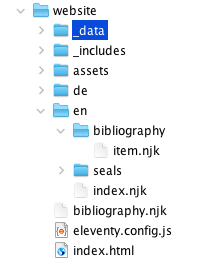
The scaffold includes bibliography website templates under source/website/en/bibliography/:
source/website/en/bibliography/index.njk: the list page. Shows a table with short citation (linked to detail page) and formatted full citation.
source/website/en/bibliography/item.njk: the detail page template. Eleventy paginates it over indices.bibliography.entries (one entry per page) and emits one HTML file per bibliography entry. Each page shows the full citation and a table of citing seals with their cited ranges. Pagination is configured in the template's YAML front matter (pagination: data: indices.bibliography.entries).
Small project-specific tweaks
Open source/website/en/bibliography/item.njk and change documentBasePath from /inscriptions to /seals so the citing-document links in the table point at our seal pages. This is the same pattern we used in index-persons.njk and index-places.njk earlier:
{# Where citing-document links should point. Change "inscriptions" to match
   your collection's URL structure (e.g. "seals" for sigillographic projects). #}
{% set documentBasePath = "/" + page.lang + "/seals" %}
We could also change the Documents column header to Seals forther down:
{% if item.references and item.references | length %}
<table class="data-table index-table">
    <thead>
        <tr>
            <th>Cited range</th>
            <th>Seals</th>
        </tr>
    </thead>
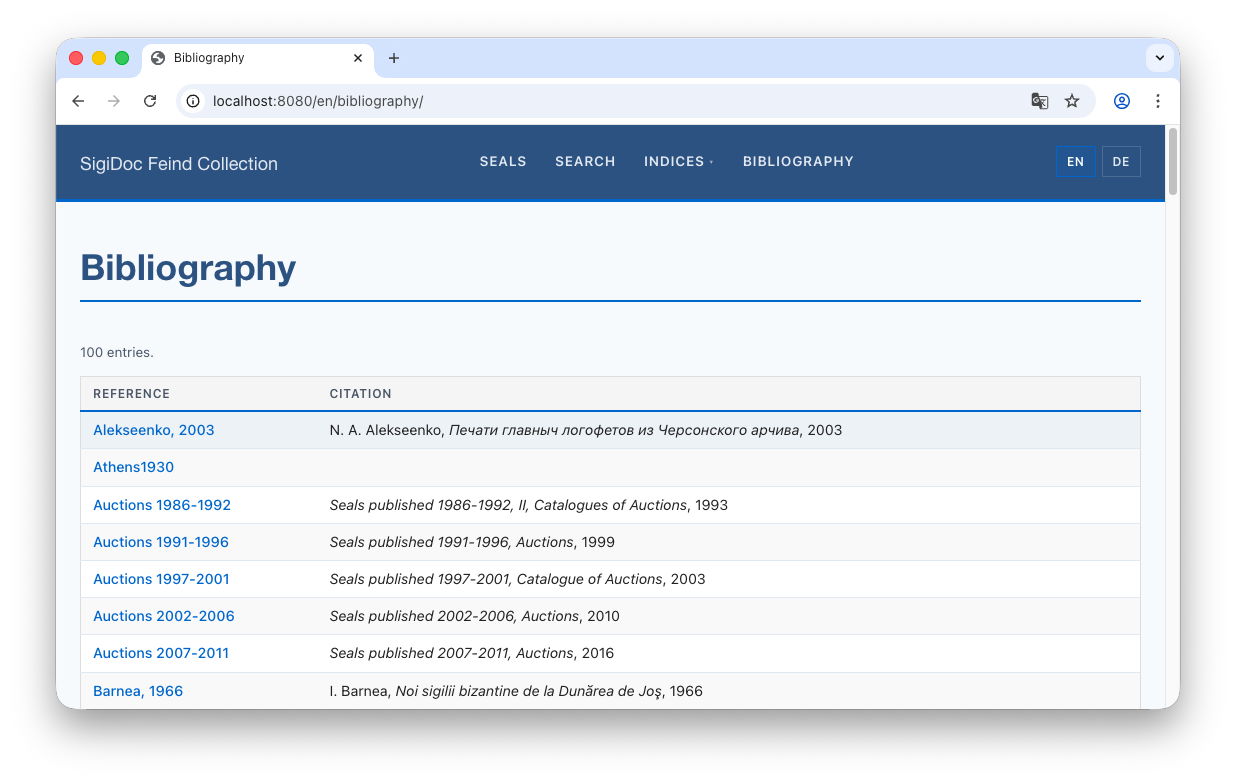
After rebuild, switch to the preview and navigate to the Bibliography page (🌎 /en/bibliography/). You should see a table of all cited works:
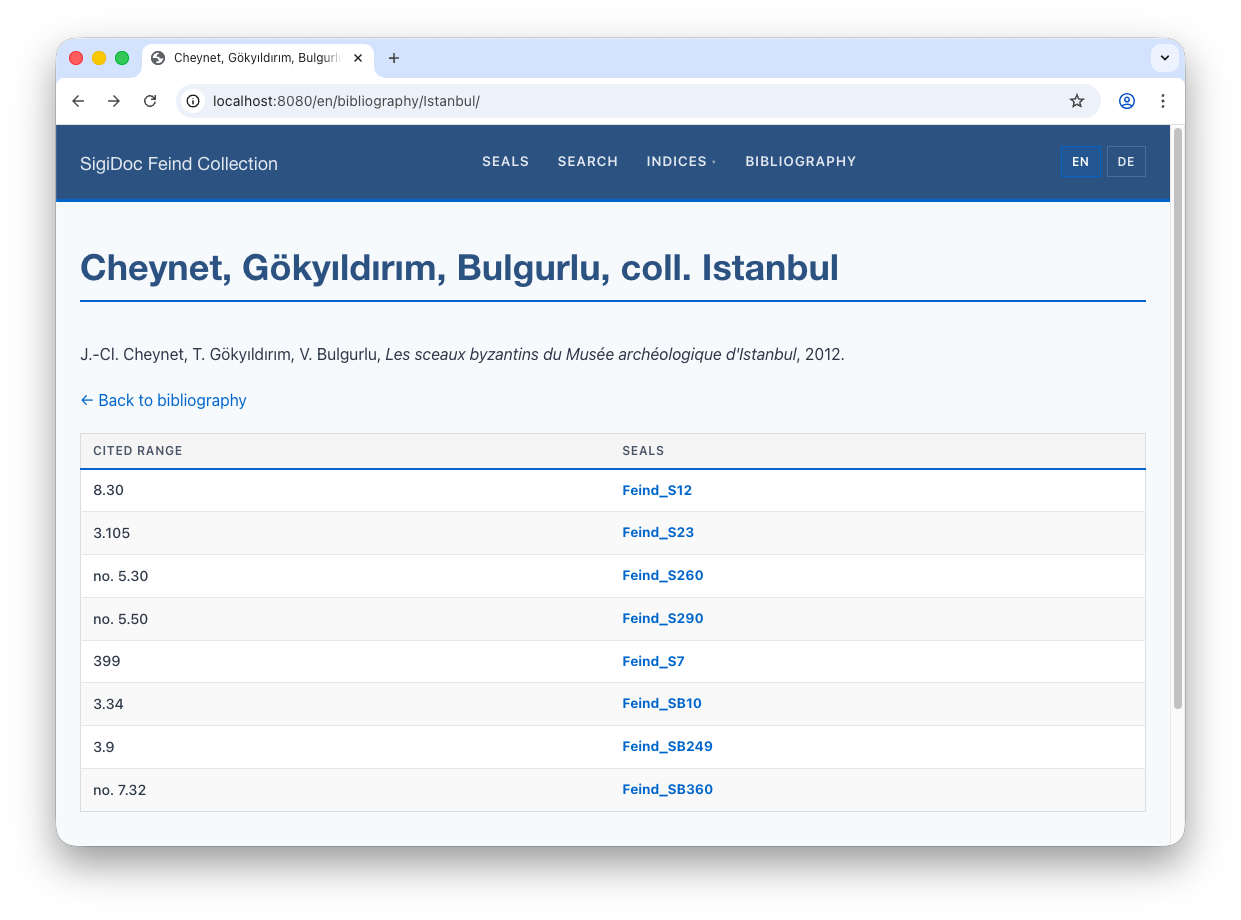
Click an entry to see its detail page: the full citation and which seals cite it, with specific page/section references.
Step 5: Add German Support
Like the seals, indices, and search pages in the multi-language tutorial, the bibliography templates move from source/website/en/ to the root of source/website/ and gain language pagination. The list page follows the same simple-pagination pattern you've already used. The item template introduces a new pattern, cross-product pagination, because each entry needs its own page in each language.
Move the list template
Rename source/website/en/bibliography/index.njk to bibliography.njk and move it to source/website/bibliography.njk. Replace the front matter with the paginated form (same shape as seals.njk):
---
layout: layouts/base.njk
permalink: "{{ langCode }}/bibliography/index.html"
pagination:
    data: languages.codes
    size: 1
    alias: langCode
eleventyComputed:
    title: "{{ 'bibliography' | t }}"
---
It already uses page.lang for language-aware rendering, so it works for both English and German once Eleventy paginates it over both.
Replace the few strings (such as the column headers) in the template body with translation lookup using the | t filter:
<p class="entry-count-info">{{ indices.bibliography.entries | length }} {{ "entries" | t }}.</p>

<table class="data-table index-table">
    <thead>
        <tr>
            <th>{{ "reference" | t }}</th>
            <th>{{ "citation" | t }}</th>
        </tr>
    </thead>
Make sure to add entries for the new translation keys entries, reference, and citation to the translation files in /source/website/_data/translations.
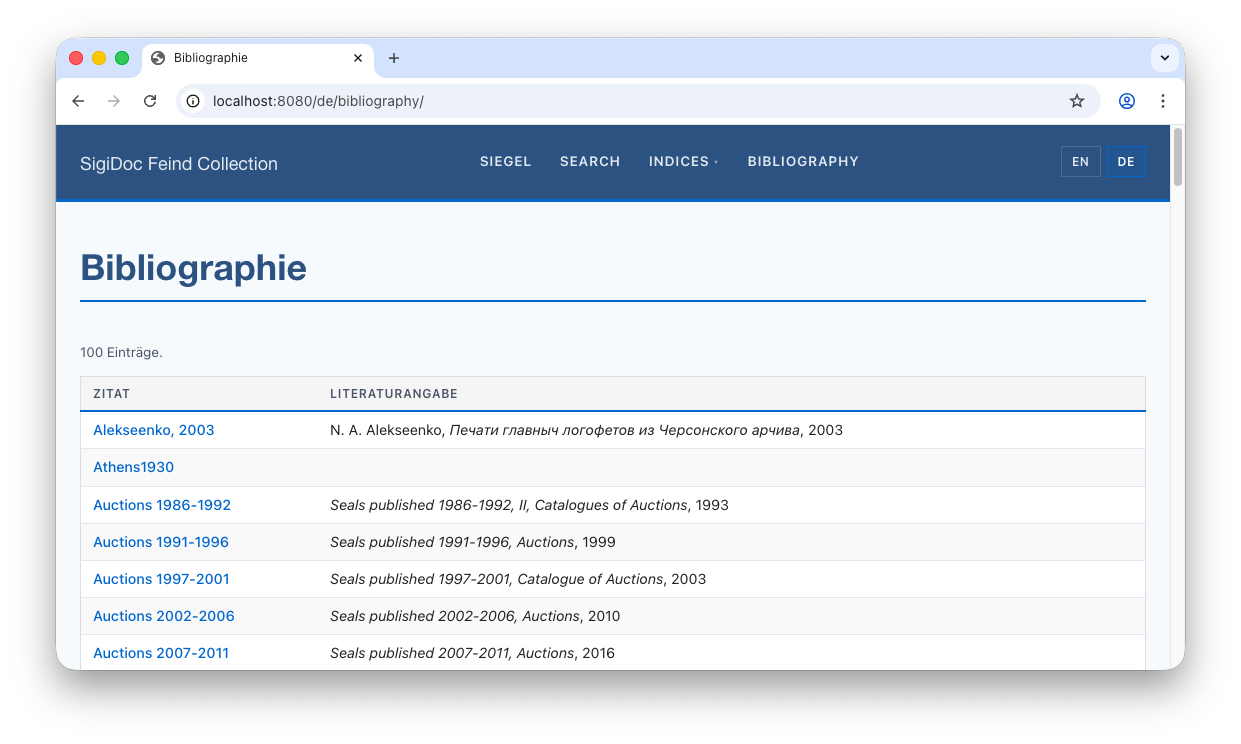
The bibliography list should now be available in German at 🌎 /de/bibliography/:
Move the item template
Rename source/website/en/bibliography/item.njk to bibliography-item.njk, move it to the website root at source/website/bibliography-item.njk and adapt the front matter:
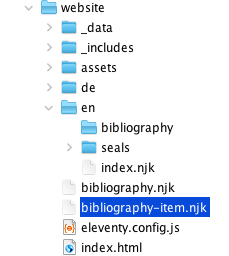
source/website/bibliography-item.njk:
---
layout: layouts/base.njk
permalink: "{{ item.lang }}/bibliography/{{ item.bibRef[item.lang] }}/index.html"
eleventyComputed:
    title: "{{ item.shortCitation[item.lang] or item.shortCitation.en }}"
---
{# ...the rest of the file (documentBasePath set + rendering markup) stays unchanged. #}
Two changes from the single-language version:
- The
permalinkandeleventyComputed.titlenow useitem.langand the language-keyed lookups (item.bibRef[item.lang],item.shortCitation[item.lang]). Theitem.langfield is supplied by the sidecar file we add next. - The
pagination:block is gone from the front matter, it's also moving to the sidecar file.
Also translate the column headers and the "back" link using translation key lookup with the | tfilter:
source/website/bibliography-item.njk:
<!-- ... -->
<p><a href="/{{ page.lang }}/bibliography/">← {{ "backToBibliography" | t }}</a></p>
{% if item.references and item.references | length %}
<table class="data-table index-table">
<thead>
<tr>
<th>{{ "citedRange" | t }}</th>
<th>{{ "seals" | t }}</th>
</tr>
</thead>
<!-- ... -->And add a translation entry for the new citedRange and backToBibliography keys in the translation files in source/website/_data/translations.
Create the JavaScript pagination sidecar
So far, all the pagination configurations you've seen have lived in front matter inside the template itself (e.g. seals.njk, index-persons.njk). Front matter is enough when pagination just needs to read a data array and chunk it. But bibliography items need to transform the data array first (multiplying entries × languages) and that transform is a JavaScript function. YAML can't hold a function, so Eleventy's solution is a sibling JavaScript file with the same base name as the template: bibliography-item.11tydata.js next to bibliography-item.njk.
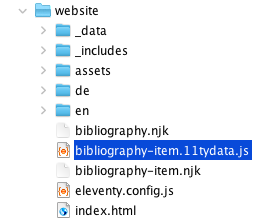
Create source/website/bibliography-item.11tydata.js and paste in the following content:
// Cross-product pagination: one page per bibliography entry × language.
// Each entry is expanded into N items (one per language), so Eleventy
// produces /en/bibliography/{id}/, /de/bibliography/{id}/, etc.
module.exports = {
    pagination: {
        data: "indices.bibliography.entries",
        size: 1,
        alias: "item",
        before(entries, fullData) {
            const langs = fullData.languages?.codes || ['en'];
            return entries.flatMap(entry =>
                langs.map(lang => ({ lang, ...entry }))
            );
        }
    }
};
Technical: How does this work?
The data, size, and alias keys mirror what was in the YAML front matter. The new piece is before(): a function Eleventy calls before paginating. It receives the resolved data array (the bibliography entries), returns a transformed array, and Eleventy paginates over the new array.
Concretely: before() receives the bibliography entries, returns N × L items (one per entry per language), each a shallow copy of the entry with a lang field attached. The template then uses item.lang in its permalink to route each item to the right language URL.
The flow looks like this:
Recap: three pagination patterns
You've now used all three Eleventy pagination shapes:
| Pattern | Where | Data source |
|---|---|---|
| Simple, over a fixed array | seals.njk, indices.njk, search.njk, index-persons.njk, index-places.njk | data: languages.codes |
| Simple, over a data collection | the scaffolded en/bibliography/item.njk (single-language form, before this step) | data: indices.bibliography.entries |
| Cross-product (transformed data) | bibliography-item.njk (this step) | data: indices.bibliography.entries plus before() transform |
The first two are configurable in YAML front matter inside the template. The third needs a JavaScript sidecar, because the before() transform is a function.
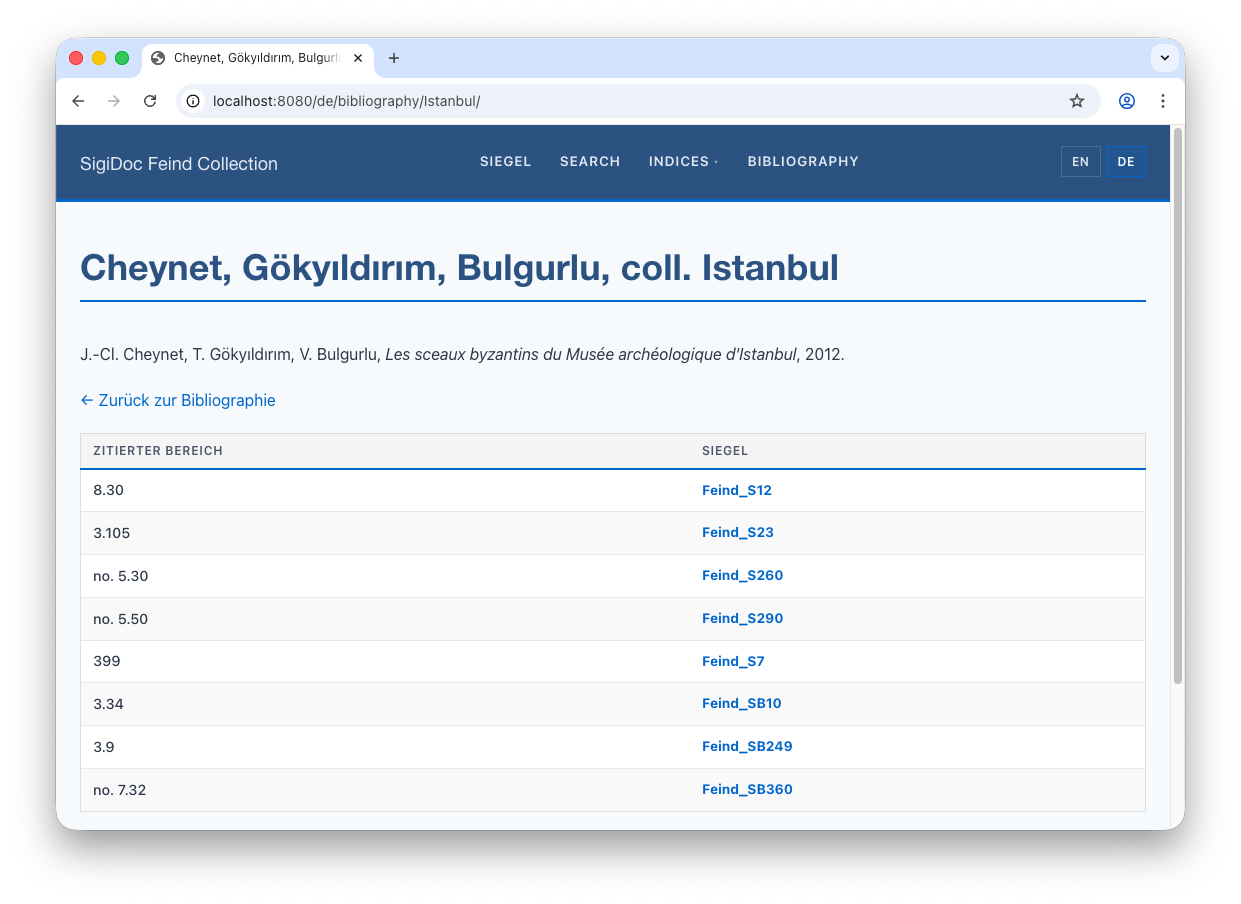
After rebuilding, navigate to the German bibliography page (🌎 /de/bibliography/) and click any entry to see its German detail page. The entries themselves remain in their original encoding (author names, titles), but the page title, table headers, and "Back to bibliography" link are translated.
What We've Built
The complete pipeline now looks like this:
One source XML file now produces:
- HTML seal pages (English + German)
- Sidecar data files (English + German)
- Person, place, and bibliography index entries
- Search data (English + German)
All connected by cross-references: seals link to bibliography, bibliography links back to seals, indices link to seals.